See your next AstroVega puja or consultation countdown on your iPhone Lock Screen, no app-opening needed, so you always know exactly when to be ready.
AstroVega Now Lives on Your iPhone Lock Screen, Not Just in the App
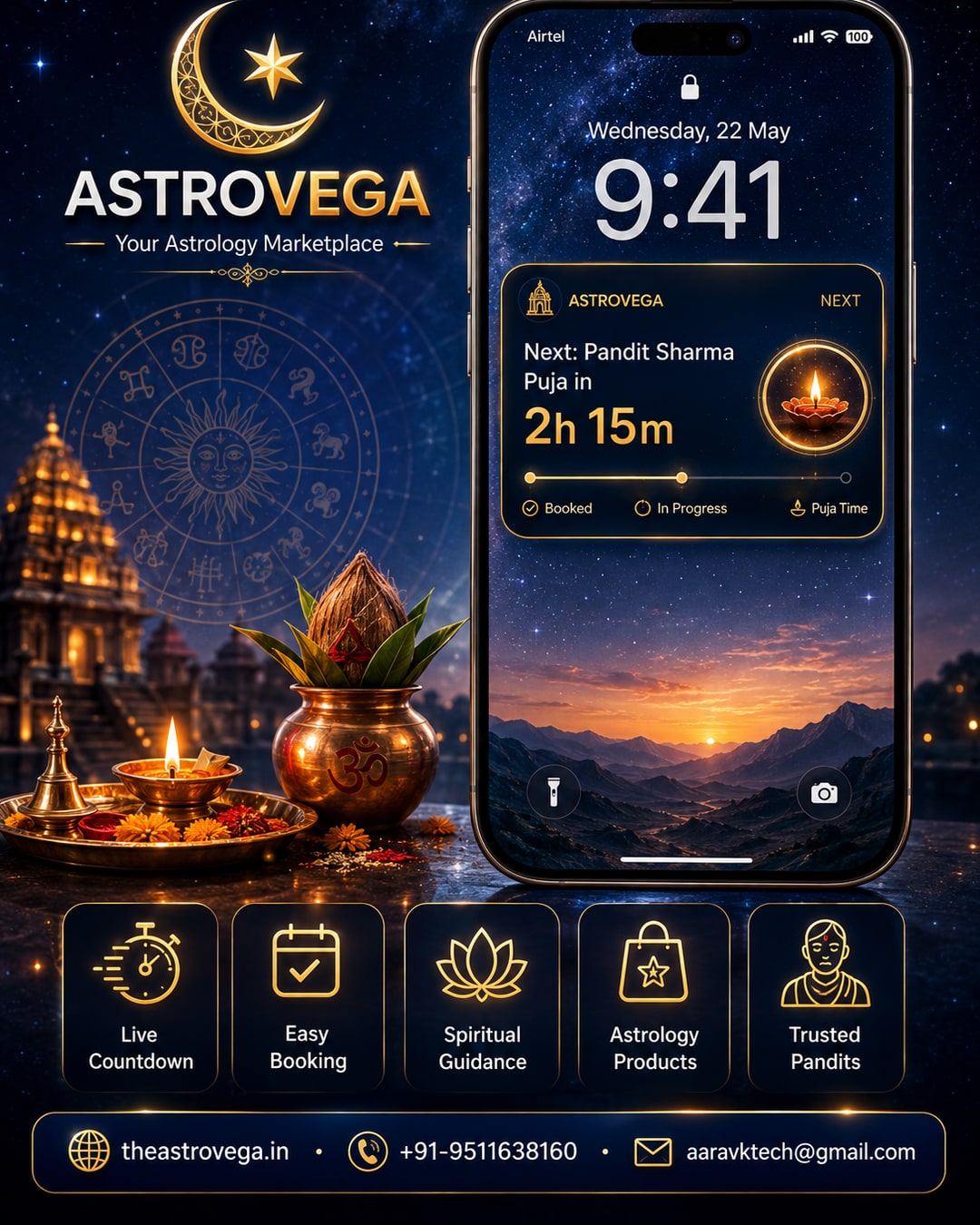
If you've ever booked a puja or an astrology consultation and then spent the rest of the day opening the app every hour just to double-check the time, this update is for you. AstroVega has added a Lock Screen widget for iPhone that shows a live countdown to your next booking, right where you already glance for the time and weather.
Why a Lock Screen widget actually matters Most people check their phone's Lock Screen dozens of times a day without even unlocking it. It's become a habit - glance, read, move on. AstroVega's widget fits into that exact habit instead of asking you to build a new one. Instead of remembering to open the app, checking your bookings tab, and finding the right consultation, the countdown is just there.
What the widget actually shows The widget displays your next confirmed puja or consultation with a simple live countdown - hours and minutes remaining - along with the service name. If your Pandit's arrival is in two hours, you see 2h 15m without unlocking your phone. If your video consultation with an astrologer starts in twenty minutes, you'll know to be ready with your questions written down and your birth chart pulled up.
How to set it up Adding it is simple. Long-press your iPhone Lock Screen, tap customize, choose Add Widgets, and select AstroVega from the list. It takes under a minute, and once it's there, it updates automatically as your booking time approaches - no manual refreshing needed.
Who this actually helps Families juggling a puja for a parent's birthday and a school pickup at the same time benefit most. So do professionals booking a quick lunch-break astrology consultation between meetings, who don't have time to keep switching apps to track when their slot starts. It's a small feature, but it removes a real daily annoyance - forgetting exactly when something is scheduled to happen.
How this fits into AstroVega's bigger picture AstroVega already lets you book Pandits, generate a Kundli, consult verified astrologers, order puja products and shop astrology books, all from one platform. The Lock Screen widget doesn't add a new service - it just makes an existing one easier to keep track of, without requiring you to open the app more often than you need to.
My take: if you're someone who books more than one puja or consultation a season - festival timings, a family naming ceremony, a quick career consultation - this widget alone is worth turning on. It's not flashy, but it quietly removes one small daily friction point, and those add up. If you've only got one booking a year, you probably won't notice the difference either way, but there's no reason not to switch it on regardless - it costs nothing and saves you a few unnecessary app-opens.
🌐 theastrovega.in · 📞 +91-9511638160 · 📧 aaravktech@gmail.com